Connect your spaces, your data and your teams.
Sensors, equipment, alerts and business applications produce information across many systems. Immersive places it in a 3D representation of your sites so teams can understand a situation, locate a problem and act in the right place.
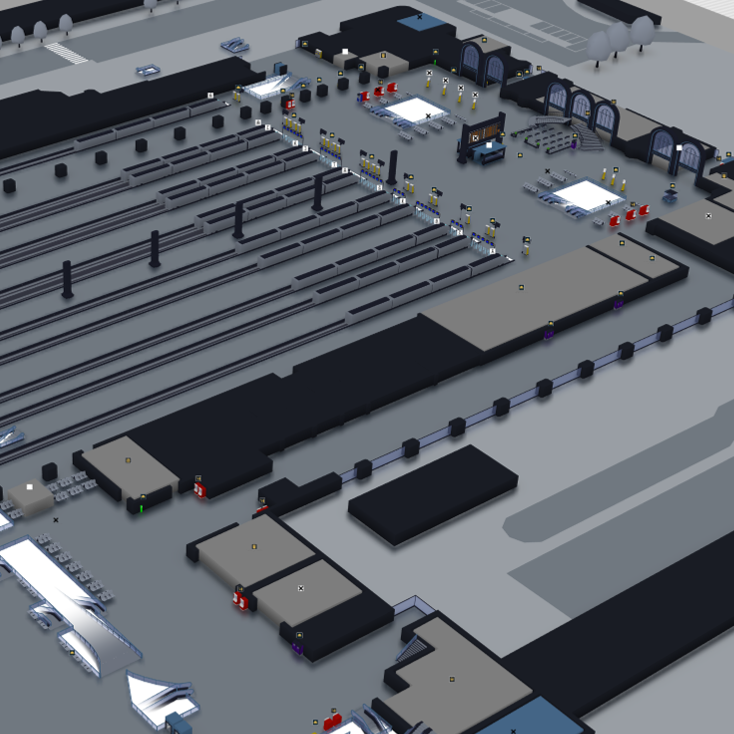
Your site changes. Its digital representation does too.
Explore spaces, floors and technical areas, then find useful information on each asset. The map becomes a shared reference for understanding what is happening, where it is happening and why it matters.
A digital model describes the site
Forge creates and structures the model: spaces, objects, equipment and points of interest. RestFrontage stores and shares it. Beholder displays it. This foundation already supports mapping and wayfinding.
A digital twin adds the time dimension
The Hub connects the model to field data and equipment states. Changes feed the applications: the site is no longer just represented, its evolution becomes visible. 4D brings space and time together.
Monitor
View states and events reported by your systems to locate affected equipment and prepare an intervention.
Understand the history
Use available historical data to replay a situation, analyse how it unfolded and investigate the cause of a problem.
Explore scenarios
Use simulation scenarios prepared for your project to test assumptions and anticipate changes to your spaces or processes.
An architecture connecting the model to the field.
Each component has a clear role. Content creation, data services and applications remain separate while sharing the information your use cases need.
Build the model and identify the sources
Forge
The editor models the site, structures content and associates 3D objects with equipment. Maps are saved and retrieved through RestFrontage.
The field and your information systems
Sensors, IoT, building management, security, lighting or business repositories: relevant sources are identified according to the equipment and functions you need.
Share content and connect equipment states
RestFrontage
The OData / Web API layer exposes maps, equipment, metadata and security data to Immersive tools and external applications. Enhancer supports their administration.
Hub
The Hub receives or retrieves equipment data and events. Its connectors unify communication with source systems and deliver changes to the applications.
Storage and persistence. Databases hold topography, equipment, security and metadata. Binary files are stored in a file system or Blob Storage, depending on the chosen architecture.
Give teams the right tools
Beholder
Visualise the site, monitor equipment and interact with its information and states.
Compass
Find a destination and guide users through the site’s spaces and routes.
Flex Office
Use the map to book and manage workspaces.
SDK / API
Integrate Immersive maps, data and functions into your own applications.
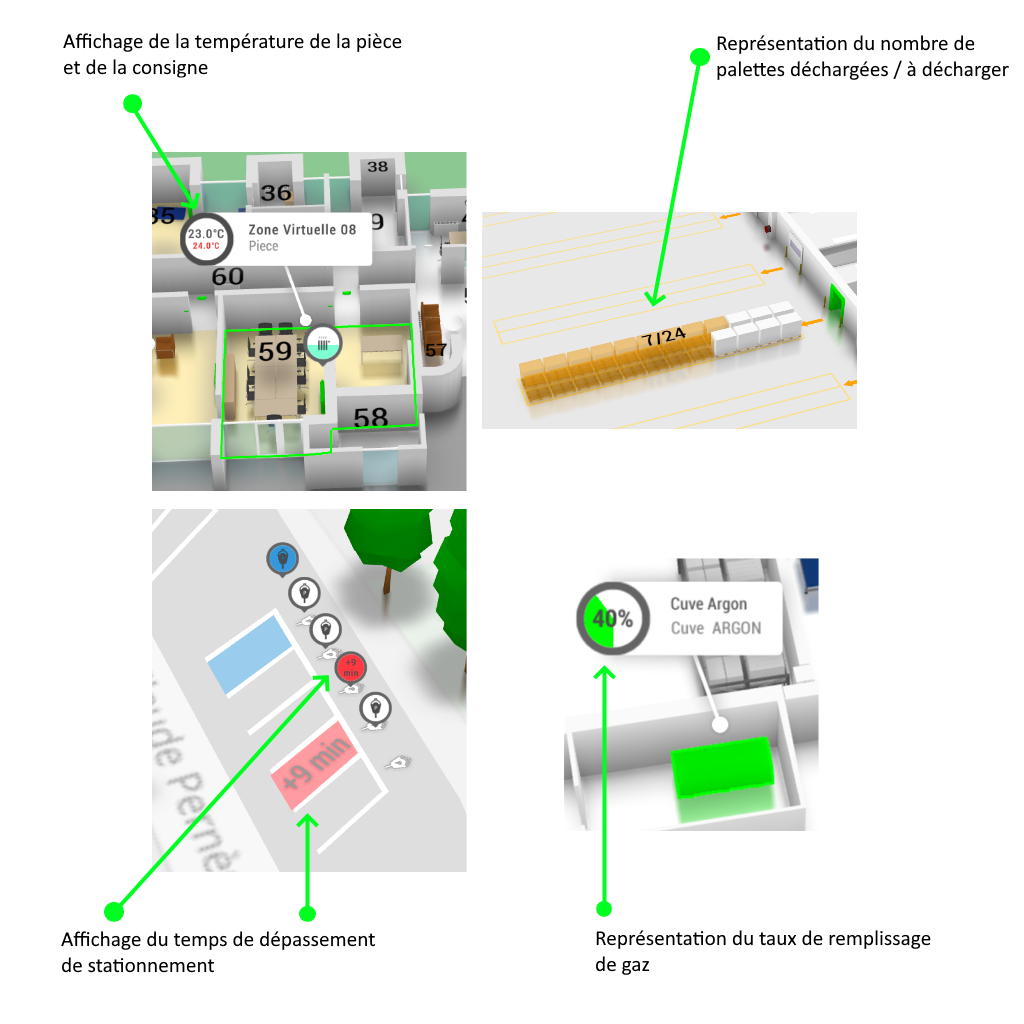
From a raw signal to useful information.
The Hub provides unified communication through its connectors: REST, OPC UA, MQTT or a custom connector, depending on the project’s sources. It can receive states pushed by systems or retrieve them.
Scripting then turns this data into readable information: formatting, visual states, model animation, processing and changes to Beholder’s behaviour. Workspaces bring together the functions each user profile needs.
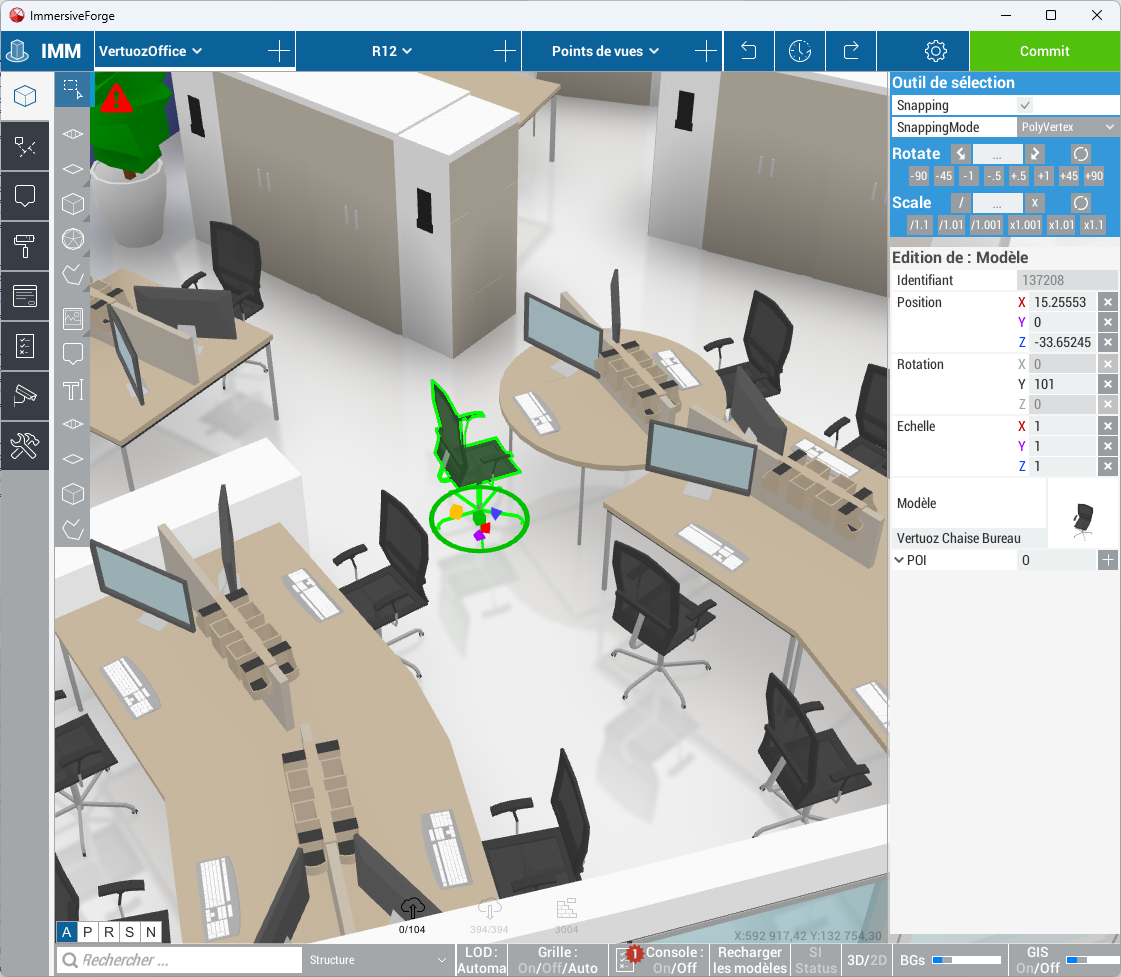
Build your digital twin, step by step.
Start with a representation of the site and its equipment, then progressively connect data and business functions. Work can proceed by site, delivery phase or equipment family.
Model the site
Gather plans, check them against the site and build the 3D representation in Forge. Structure the spaces and adapt visual conventions to the way your teams work.
Import equipment
Identify the equipment to monitor: HVAC, building management, security, EV charging or lighting. Prepare its information, for example in an Excel import file, then position it using plans and site surveys.
Link equipment to its 3D object
Binding links an equipment record to the object representing it in the model. In Forge, this association can be made by dragging and dropping. Business information gains a precise location within the site.
Connect data and tailor the experience
Configure communication through the Hub, then use scripting to format data and define the expected responses. Build workspaces, test scenarios and evolve the project with your users.
A platform that fits your environment.
Applications can be used on the web, desktop or mobile according to your needs. Services and storage are organised around your infrastructure and access requirements.
In the cloud
Host services and content on cloud infrastructure to make them available to authorised users.
On your infrastructure
Deploy components on your organisation’s physical or virtual servers when operational requirements call for it.
At your own pace
Start with one site or an initial use case, then extend the model, connections and functions without starting again.
Clearly defined responsibilities
Centralised content, profiles and access rights, authentication, backup and logging are defined within the project architecture. Data administration and day-to-day use can be assigned to separate profiles.
Plan the network connections
Identify connections between clients, RestFrontage, the Hub, data sources and storage. Depending on the deployment, Hub access can be proxied through RestFrontage to avoid exposing it directly to the user network.
Your next project starts here.
Move from discovery to hands-on learning with the Developer Network. Find technical articles, tutorials and resources to create maps, connect equipment and customise Immersive.