Manage the permissions of a secure object type
- Undefined type
This document describes how to view, test, create, and rename the permissions of a secure object type.
1. Principle of permission
A permission describes a testable action on an object type, such as viewing a map, modifying a piece of equipment, or administering the contents of a folder.
It does not give any access on its own. Actual access is carried by rights assigned to users or groups on specific objects.
| Field | Role |
|---|---|
| Name | Functional label displayed to administrators. |
| Description | Explanation of the protected action. |
Mask or Flag |
Bits that must be present in AuthorizedFlags to authorize permission. |
Mask refused or DeniedFlag |
Bits searched in DeniedFlags to deny permission. If it is empty, the Flag is used. |
2. Open permissions management
- Open
/Security/Configurationwith the Cerebrate account. - Identify the type concerned.
- Click on Permissions.
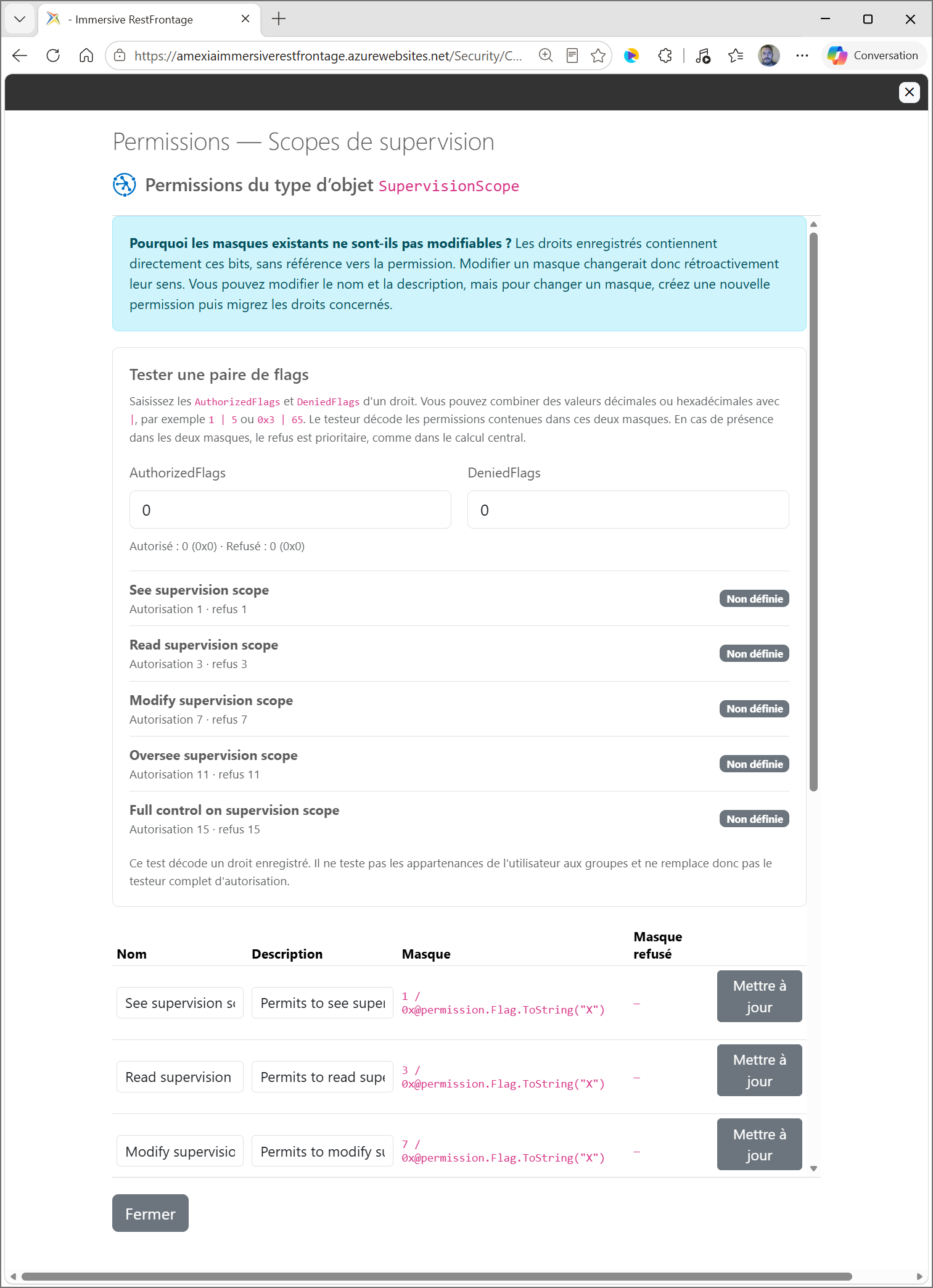
The window successively presents:
- a reminder of the immutability of existing masks;
- the flag tester;
- existing permissions;
- The form for creating a permission.
3. Understand Flag and DeniedFlag
A permission can provide a composite authorization mask and a more targeted deny mask.
Example with Modify Map :
Flag       = 5 = 0101 = lire + modifier
DeniedFlag = 4 = 0100 = modifier
Permission does not prohibit anything by itself. The mask used depends on the administrative action:
| Action | Mask enshrined in law |
|---|---|
Allow Modify Map |
AuthorizedFlags receives Flag, therefore 5. |
Refuse Modify Map |
DeniedFlags receives DeniedFlag, therefore 4. |
This separation makes it possible to refuse the modification while retaining any reading permission.
The DeniedFlag, when populated, must be a positive subset of the Flag.
DeniedFlag doesn't mean that permission is denied by default. It only indicates which mask to use when an administrator or rule explicitly chooses the effect Refuse.
4. Test flags
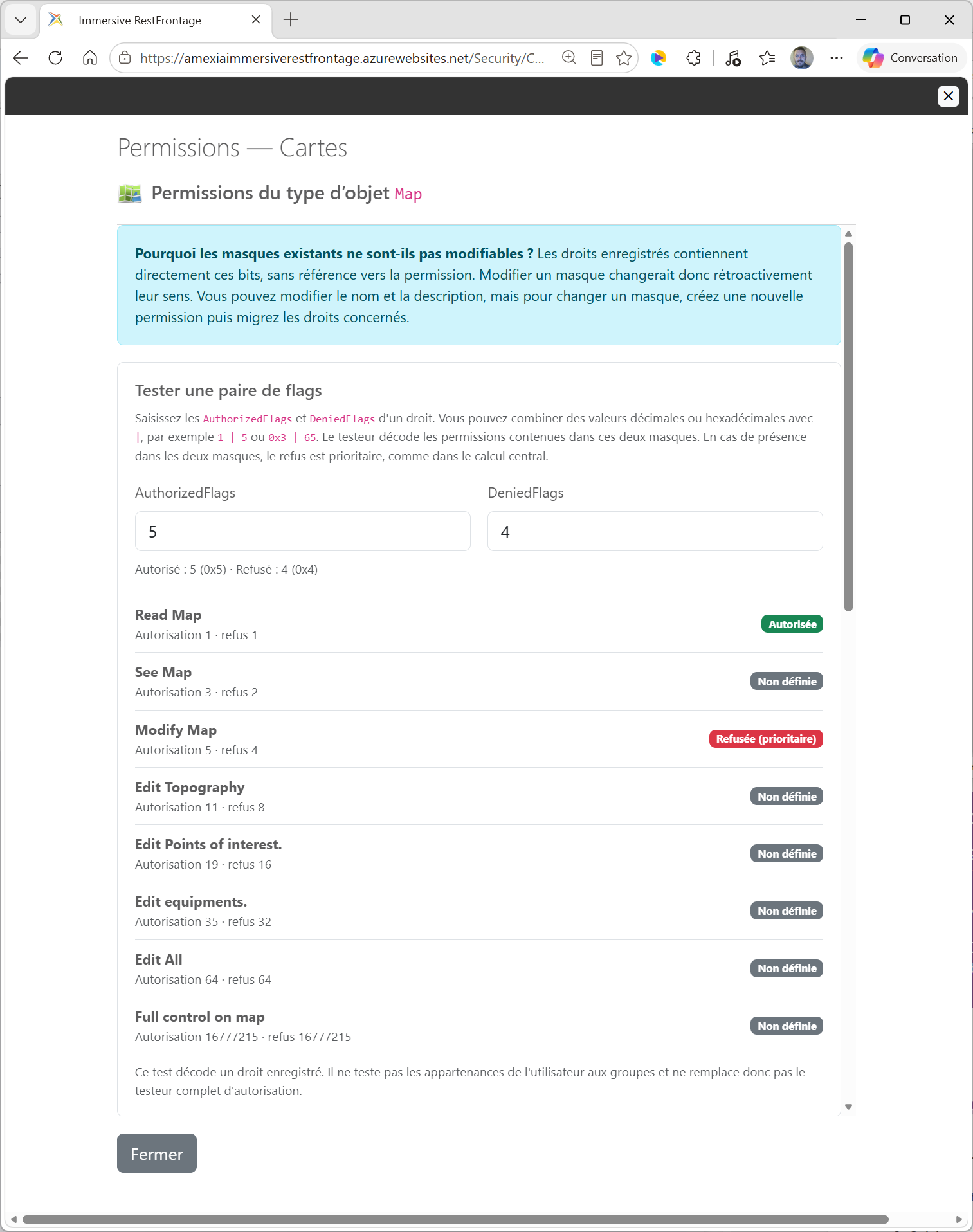
The tester decodes a pair of values as if it came from a Right :
AuthorizedFlagscontains granted abilities;DeniedFlagscontains the explicitly denied capabilities.
It accepts decimal numbers, hexadecimal numbers, and combinations with | :
1
0x3
1 | 5
0x3 | 65
For each permission, the result can be:
| Result | Meaning |
|---|---|
Autorisée |
All the bits of the Flag are present and no applicable refusal is present. |
Refusée |
All bits of the denied mask are present in DeniedFlags. |
Refusée (prioritaire) |
The masks allowed and refused both match; the refusal wins. |
Non définie |
Full authorization is not present and no complete denial matches. |
The tester does not consult users, groups, or an actual secure object. It is only used to understand masks.
5. Create a Permission
The type must be active.
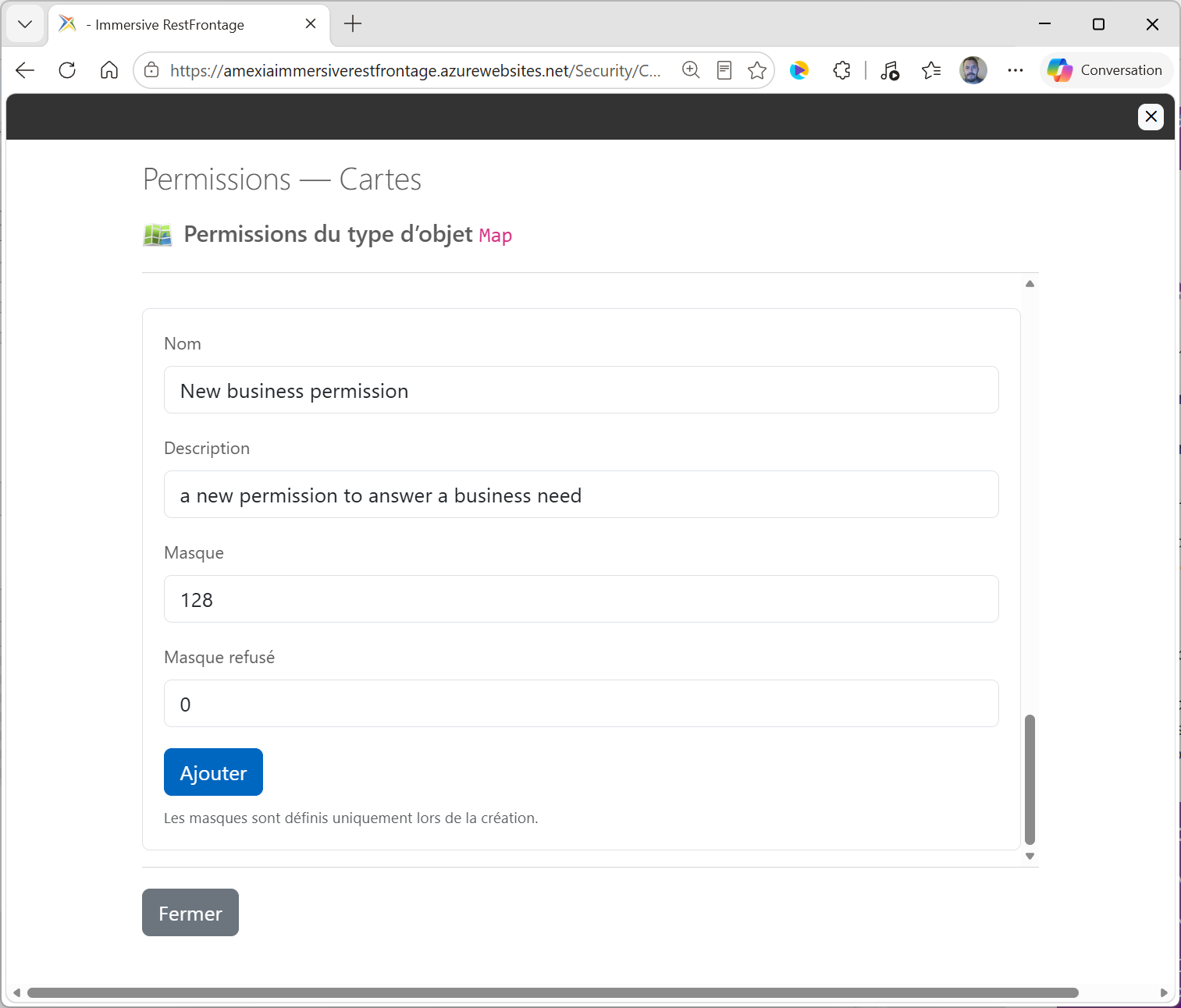
- Enter a specific functional name.
- Add a description of the protected operation.
- Enter a positive mask in Mask.
- Optionally enter a positive submask in Mask refused.
- Click on Add to cart.
The creation form currently expects decimal integers. Hex Writes and Expressions with | are accepted by the tester, but not by this digital form.
For the same type:
- the name must be unique;
- The
Flagmust be unique; - The
DeniedFlag, where it exists, must be contained in theFlag; - the name is limited to 255 characters;
- The description is limited to 2,048 characters.
Creating a permission does not grant access. It must then be used in manual entitlements, in an automatic entitlement rule, and in business code controls.
6. Edit an existing permission
The name and description can be changed when the type is active:
- Edit text directly in the line.
- click on Update.
The Flag and the DeniedFlag are displayed but cannot be edited.
The saved rights directly contain the numeric masks. They do not retain a reference to the chosen permission. Changing the mask of an existing permission would therefore retroactively change the meaning of rights already assigned.
To change a mask:
- create a new permission;
- Migrate the affected rights to the new mask.
- Adapt automatic rules and business controls.
- Verify existing objects with the audit tools.
The interface does not currently offer permission removal.
7. Effect of the active or inactive type
| Type Status | Consultation | Tester | Creation | Changing the name or description |
|---|---|---|---|---|
| Active | Yes | Yes | Yes | Yes |
| Inactive | Yes | Yes | No | Rejected by the server |
Disabling the type does not remove its permissions or modify the permissions that are already using their masks.
8. After Creation
Check the following:
- The controller or business service tests this permission with the central computation.
- the appropriate groups or users receive the necessary flags;
- An automatic rule is created if new objects should be granted this right as soon as they are created.
- Existing objects are audited and, if necessary, regularised.
9. Rules to remember
- A permission describes an action but does not grant access.
Flagis used to authorize.DeniedFlagis used only when explicitly denied.- An applicable refusal takes precedence over an authorisation.
- The masks of an existing permission are immutable.
- A new permission must be plugged into the business code to become really useful.